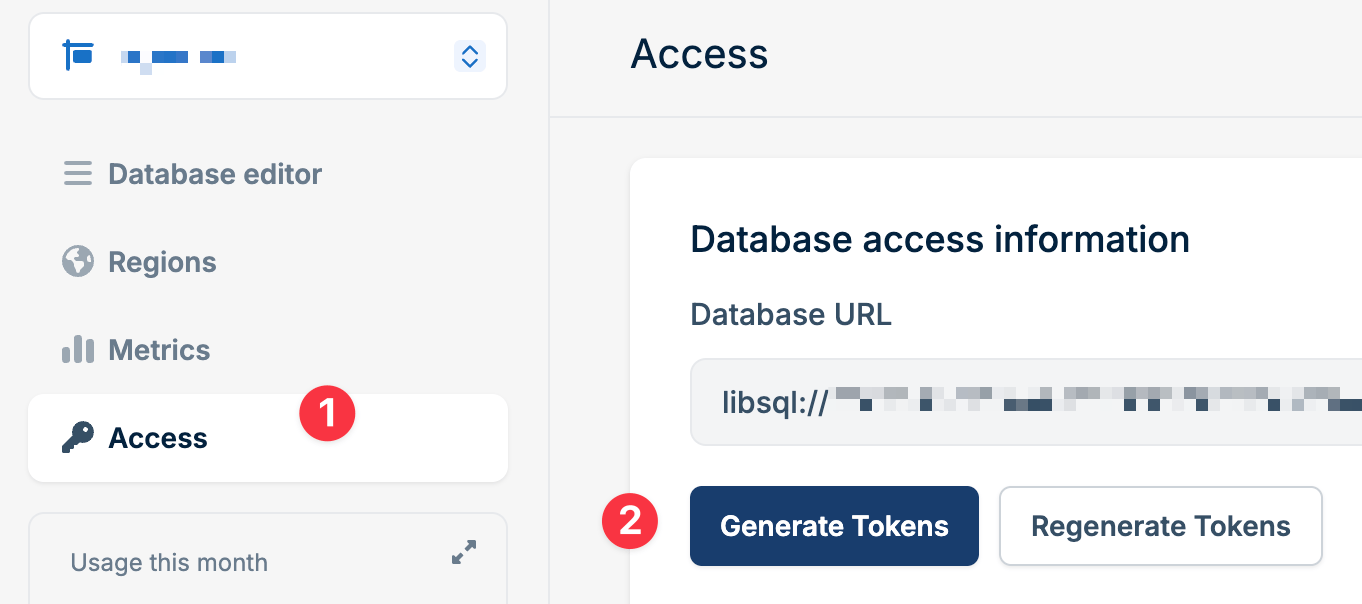
To connect to your Bunny Database, you’ll need your Database URL and an Access Token. Both can be obtained and managed from the Dashboard or the Bunny CLI.
Accessing credentials
Navigate to Dashboard > Edge Platform > Database > [Select Database] > Access to view and manage your database connection details.
From this page, you can:
- View your Database URL
- Generate new access tokens
- Regenerate all access tokens
- Copy or download existing tokens
Database URL
Your Database URL is the endpoint used to connect to your database. It follows this format:
This URL is required by all client libraries and SDKs when establishing a connection to your database.
Access tokens
Access tokens authenticate your requests to the database. Bunny Database provides two types of tokens:
- Full Access: Read and write permissions for all database operations
- Read Only: Limited to SELECT queries and read operations only
Generating new tokens
To create a new access token for an additional application while keeping existing tokens valid:
- Navigate to Dashboard > Edge Platform > Database > [Select Database] > Access
- Click Generate Tokens
- New full-access and read-only tokens will be created
- Copy or download your tokens immediately
Tokens are only displayed once. If you lose them, you’ll need to generate
another.
Don’t have the CLI installed? See the CLI quickstart to install and authenticate. BUNNY_DATABASE_AUTH_TOKEN (and BUNNY_DATABASE_URL if missing) to your .env file. Pass --no-save to skip the prompt, or target a specific database by passing its ID:See bunny db for the full command reference.Regenerating tokens
If your tokens are exposed or compromised, regenerate them to invalidate all existing tokens:
- Navigate to Dashboard > Edge Platform > Database > [Select Database] > Access
- Click Regenerate Tokens
- All previous tokens will be immediately invalidated
- New full-access and read-only tokens will be created
- Copy or download your new tokens immediately
Regenerating tokens will invalidate all existing tokens for all databases.
Update all applications using the old tokens to prevent connection failures.
Invalidate every existing token for the database:This is destructive, so the CLI asks for confirmation first. Use --force to skip the prompt in automated environments.To invalidate the old tokens and immediately create a replacement in one step:--save-env writes the replacement token to your .env file (requires --regenerate).Invalidating tokens revokes all existing tokens for the database.
Update all applications using the old tokens to prevent connection failures.
Using credentials with client libraries
Pass your Database URL and access token to the client library when creating a connection:
Using credentials with HTTP API
When making direct HTTP requests to the database API endpoint (/v2/pipeline), include your access token as a Bearer token in the Authorization header:
Using credentials with Magic Containers and Edge Scripting
When you add database credentials to a Magic Container or Edge Script, they are automatically available as environment variables:
BUNNY_DATABASE_URL: Your database URLBUNNY_DATABASE_AUTH_TOKEN: Your access token
Access them in your code like any other environment variable:
Last modified on July 27, 2026